In today’s digital landscape, SSL certificates have become the cornerstone of website security and user trust. With cybercrime projected to cost businesses up to $10.5 trillion by 2025 and over 299 million SSL certificates currently active on the internet, understanding these digital security tools isn’t just recommended—it’s essential for every website owner.
Whether you’re running an e-commerce store, a corporate website, or a personal blog, SSL certificates protect your visitors’ sensitive data while boosting your search engine rankings. This comprehensive guide will walk you through everything you need to know about SSL certificates, from basic concepts to advanced installation techniques.
What is SSL Certificates and Why Do They Matter?
Understanding SSL/TLS Technology
SSL (Secure Sockets Layer) certificates, now technically called TLS (Transport Layer Security) certificates, are digital certificates that authenticate a website’s identity and enable encrypted connections between web servers and browsers. Think of them as digital passports that verify your website’s authenticity while creating a secure tunnel for data transmission.
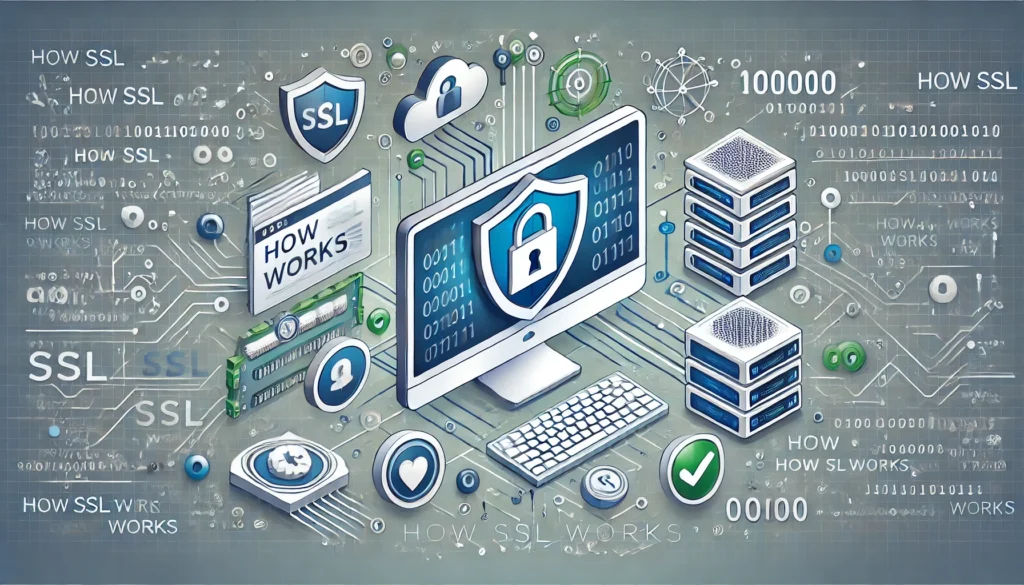
When visitors access your SSL-secured website, they’ll see the familiar padlock icon in their browser’s address bar, along with “https://” instead of “http://”. This visual indicator immediately communicates trust and security to your users.
The Current SSL Landscape in 2025
The importance of SSL certificates has reached unprecedented levels in 2025. Here are some compelling statistics that highlight their critical role:
- Over 299 million SSL certificates are currently active on the internet as of January 2025, representing a 7.5 million increase in just two years
- 34% of all websites on the internet now have SSL certificates installed
- More than 90% of phishing sites ironically use HTTPS, making proper SSL implementation even more crucial for legitimate businesses
- The industry is preparing for a major shift to 47-day certificate validity periods by 2029, down from the current standard of approximately one year
Source: SSL Insights Statistics 2025 and SSL Dragon Stats
Types of SSL Certificates: Finding Your Perfect Match
Validation Level Categories
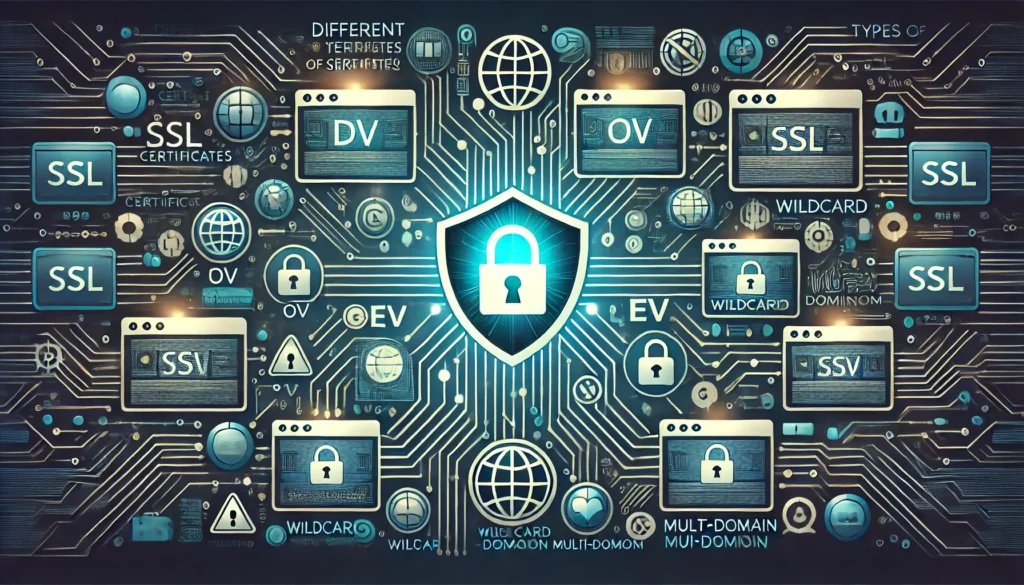
Domain Validated (DV) Certificates
Domain Validated certificates offer basic encryption with minimal verification requirements. The Certificate Authority (CA) simply confirms that you control the domain through email verification or DNS record confirmation.
Best for:
- Personal websites and blogs
- Small businesses with basic security needs
- Quick deployment scenarios
Typical issuance time: Minutes to a few hours
Organization Validated (OV) Certificates
Organization Validated certificates require more extensive verification, including business registration documents and phone verification. These certificates display your organization’s name in the certificate details.
Best for:
- Corporate websites
- Medium-sized businesses
- Organizations requiring moderate trust levels
Typical issuance time: 1-3 business days
Extended Validation (EV) Certificates
Extended Validation certificates undergo the most rigorous verification process, including legal, physical, and operational existence checks. EV certificates were historically recognizable by the green address bar, though modern browsers have moved away from this visual indicator.
Best for:
- E-commerce platforms
- Financial institutions
- Large enterprises handling sensitive data
Typical issuance time: 7-10 business days
Coverage-Based Classifications
Single Domain Certificates
These certificates secure one specific domain (e.g., www.example.com). They’re the most basic type and perfect for simple websites with a single domain.
Wildcard Certificates
Wildcard certificates secure a primary domain and all its subdomains using an asterisk (*) in the domain field. For example, a wildcard certificate for *.example.com would secure:
- example.com
- blog.example.com
- shop.example.com
- mail.example.com
Multi-Domain (SAN) Certificates
Subject Alternative Name (SAN) certificates can secure multiple different domains under a single certificate. These are particularly useful for organizations managing several distinct websites.
Example coverage:
- example.com
- anotherdomain.com
- thirddomain.org
Key Benefits of SSL Certificates
Enhanced Security and Data Protection
SSL certificates encrypt sensitive information during transmission, creating an impenetrable barrier against data interception. This encryption is particularly crucial for:
- Credit card transactions
- Login credentials
- Personal information forms
- Medical records
- Legal documents
The encryption typically uses 256-bit encryption with 2048-bit RSA signature keys, providing military-grade security for data transmission.
Search Engine Optimization Advantages
Google has been using HTTPS as a ranking signal since 2014, and this factor has only grown in importance. Websites with SSL certificates enjoy:
- Improved search rankings compared to non-HTTPS competitors
- Better page loading speeds through HTTP/2 protocol support
- Enhanced user experience metrics leading to lower bounce rates
- Increased click-through rates from search results due to trust indicators
Building Customer Trust and Credibility
In an era where phishing attacks have hit an all-time high with over 1 million attacks in the first quarter of 2025, customer trust has become more valuable than ever. SSL certificates provide:
- Visual trust indicators (padlock icon, HTTPS protocol)
- Professional appearance that competitors without SSL lack
- Compliance with industry standards and regulations
- Protection against “Not Secure” browser warnings
Source: Cybersecurity Statistics 2025
Regulatory Compliance
Many industries now mandate SSL encryption:
- PCI DSS compliance for payment processing
- HIPAA requirements for healthcare data
- GDPR compliance for EU data protection
- SOC 2 for service organization security
Step-by-Step SSL Certificate Installation Guide
Phase 1: Pre-Installation Preparation
Choosing the Right Certificate Authority (CA)
Select a reputable Certificate Authority based on:
- Browser compatibility (99%+ recognition rate)
- Warranty coverage (up to $1.75 million depending on CA)
- Customer support quality
- Pricing structure
- Validation speed
Generating a Certificate Signing Request (CSR)
Before purchasing your SSL certificate, you’ll need to generate a CSR containing your public key and organizational information. This process varies by server type:
For Apache/Linux servers:
openssl req -new -newkey rsa:2048 -nodes -keyout server.key -out server.csr
For Windows IIS servers: Use the Internet Information Services (IIS) Manager to generate the CSR through the “Server Certificates” feature.
Phase 2: Certificate Acquisition and Validation
Purchase and Validation Process
- Submit your CSR to your chosen Certificate Authority
- Complete domain validation through email verification or DNS record
- Provide additional documentation for OV/EV certificates
- Receive your certificate files via email once validation is complete
Understanding Certificate Files
You’ll typically receive several files:
- Primary certificate file (.crt or .pem)
- Intermediate certificate (chain file)
- Root certificate (usually pre-installed in browsers)
Phase 3: Server Installation
Apache Installation
- Upload certificate files to your server
- Edit your Apache configuration file (usually httpd.conf or ssl.conf)
- Add the following directives:
SSLEngine on
SSLCertificateFile /path/to/your/certificate.crt
SSLCertificateKeyFile /path/to/your/private.key
SSLCertificateChainFile /path/to/your/intermediate.crt
- Restart Apache service
- Test your installation
Nginx Installation
For Nginx servers, edit your server block configuration:
server {
listen 443 ssl;
ssl_certificate /path/to/your/certificate.crt;
ssl_certificate_key /path/to/your/private.key;
ssl_protocols TLSv1.2 TLSv1.3;
}
Windows IIS Installation
- Open Internet Information Services (IIS) Manager
- Navigate to “Server Certificates”
- Click “Complete Certificate Request”
- Select your certificate file and assign a friendly name
- Bind the certificate to your website in “Site Bindings”
Phase 4: Post-Installation Optimization
Implementing HTTP to HTTPS Redirects
Ensure all HTTP traffic redirects to HTTPS:
Apache .htaccess:
RewriteEngine On
RewriteCond %{HTTPS} off
RewriteRule ^(.*)$ https://%{HTTP_HOST}%{REQUEST_URI} [L,R=301]
Nginx configuration:
server {
listen 80;
return 301 https://$host$request_uri;
}
Updating Internal Links and Resources
- Update all internal links to use HTTPS
- Modify image sources and external resources
- Update canonical URLs in your CMS
- Configure HSTS headers for enhanced security
Common SSL Certificate Challenges and Solutions
Mixed Content Issues
Mixed content occurs when HTTPS pages load HTTP resources, causing browser security warnings.
Solutions:
- Use protocol-relative URLs (//example.com/resource)
- Update all resource links to HTTPS
- Implement Content Security Policy (CSP) headers
Certificate Chain Problems
Incomplete certificate chains can cause browser warnings or connection failures.
Solutions:
- Always install intermediate certificates
- Use SSL checker tools to verify chain completion
- Contact your CA for proper chain files
Renewal Management
With certificate validity periods potentially shortening to 47 days by 2029, automation becomes crucial.
Best practices:
- Implement automated renewal systems
- Set up monitoring alerts 30 days before expiration
- Use ACME protocol for automated certificate management
- Consider managed SSL services for multiple certificates
SSL Certificate Best Practices
Security Configuration Recommendations
Strong Cipher Suites
Configure your server to use only strong cipher suites:
ssl_ciphers ECDHE-RSA-AES256-GCM-SHA512:DHE-RSA-AES256-GCM-SHA512:ECDHE-RSA-AES256-GCM-SHA384;
ssl_prefer_server_ciphers on;
HSTS Implementation
HTTP Strict Transport Security (HSTS) forces browsers to use HTTPS:
Header always set Strict-Transport-Security “max-age=63072000; includeSubDomains; preload”
Performance Optimization
OCSP Stapling
Enable OCSP stapling to improve SSL handshake performance:
ssl_stapling on;
ssl_stapling_verify on;
ssl_trusted_certificate /path/to/chain.pem;
Session Resumption
Configure SSL session caching to reduce handshake overhead:
SSLSessionCache shmcb:/tmp/ssl_gcache_data(512000)
SSLSessionCacheTimeout 300
Monitoring and Maintenance
Regular Certificate Monitoring
Implement monitoring systems that check:
- Certificate expiration dates
- Chain validity
- Revocation status
- Security vulnerabilities
Automated Testing
Set up automated tests for:
- SSL Labs rating maintenance (aim for A+ grade)
- Certificate transparency log verification
- Mixed content detection
- Mobile browser compatibility
Future Trends and Developments
Certificate Lifetime Reduction
The industry is moving toward significantly shorter certificate lifespans. By 2029, certificates may have validity periods as short as 47 days, requiring robust automation systems for renewal management.
Quantum-Resistant Cryptography
As quantum computing advances, the SSL/TLS ecosystem is preparing for post-quantum cryptographic algorithms. Organizations should begin planning for this transition.
Enhanced Certificate Transparency
Certificate Transparency (CT) logs will become more central to SSL security, with browsers increasingly relying on CT for certificate validation.
Conclusion
SSL certificates have evolved from optional security enhancements to absolute necessities in 2025’s digital landscape. With over 299 million certificates actively protecting internet communications and cybercrime costs projected to reach $10.5 trillion, implementing proper SSL security isn’t just about compliance—it’s about survival in the digital marketplace.
The journey from HTTP to HTTPS represents more than a technical upgrade; it’s a commitment to user trust, search engine visibility, and data protection. Whether you choose a basic Domain Validated certificate for a personal blog or an Extended Validation certificate for an enterprise application, the investment in SSL security pays dividends through improved rankings, increased conversions, and enhanced reputation.
As certificate validity periods prepare to shrink to 47 days by 2029 and quantum-resistant cryptography approaches on the horizon, staying informed about SSL developments becomes increasingly crucial. The organizations that embrace these changes today will be best positioned to maintain secure, trustworthy online presences tomorrow.
Remember that SSL implementation is not a one-time task but an ongoing commitment to security best practices, regular monitoring, and continuous optimization.
Frequently Asked Questions (FAQs)
- What is the difference between SSL and TLS certificates?
- A: SSL and TLS are often used interchangeably, but TLS is the modern, more secure version of SSL. What we commonly call “SSL certificates” today are actually TLS certificates, with TLS 1.2 and 1.3 being the current standards.
- How long does SSL certificate installation take?
- A: Installation typically takes 30 minutes to 2 hours for experienced administrators. However, domain validation can take minutes to hours, while Extended Validation certificates may require 7-10 business days for verification.
- Can I install SSL certificates myself?
- A: Yes, with basic technical knowledge, you can install SSL certificates yourself. However, many hosting providers offer managed SSL installation services for those uncomfortable with server configuration.
- Do I need SSL if I don’t collect payments?
- A: Absolutely. SSL certificates protect all data transmission, including contact forms, login credentials, and personal information. Additionally, search engines favor HTTPS sites, and browsers warn users about non-HTTPS sites.
- What happens if my SSL certificate expires?
- A: Expired certificates cause browser warnings, potential loss of search rankings, and complete loss of user trust. Visitors will see “Your connection is not secure” warnings and may leave your site immediately.
- Are free SSL certificates as secure as paid ones?
- A: Free certificates (like Let’s Encrypt) use the same encryption strength as paid certificates. However, paid certificates often include warranties, better customer support, and extended validation options.
- How do I know if my SSL certificate is working correctly?
- A: Check for the padlock icon in your browser’s address bar, verify HTTPS in the URL, and use online SSL checker tools. The SSL Labs test provides comprehensive analysis and grading.
- Can SSL certificates be hacked?
- A: While SSL encryption itself is nearly impossible to break with current technology, certificates can be compromised through other means like private key theft, CA breaches, or social engineering attacks on validation processes.
- Should I use a wildcard certificate for multiple subdomains?
- A: Wildcard certificates are cost-effective for securing multiple subdomains under one domain. However, consider security implications—if one subdomain is compromised, all subdomains using the certificate are potentially at risk.
- What is Certificate Authority Authorization (CAA)?
- A: CAA is a DNS record type that allows domain owners to specify which Certificate Authorities are authorized to issue certificates for their domain, providing an additional layer of security against unauthorized certificate issuance.
Stay ahead of the curve with expert insights, industry trends, and practical tutorials delivered directly to your inbox. Join thousands of web professionals who trust our guidance for their security needs.