Running a small or medium business in today’s digital landscape comes with its fair share of challenges. Between managing tight budgets, competing with larger enterprises, and keeping up with technological advancements, SMB owners often find themselves stretched thin. Here’s the good news: cloud computing has emerged as a game-changing solution that levels the playing field, allowing smaller organizations to access enterprise-grade technology without breaking the bank.
If you’ve been wondering whether migrating to the cloud makes sense for your business, you’re in the right place. This comprehensive guide explores the top 10 benefits of cloud computing and why it’s become an indispensable tool for forward-thinking small and medium businesses.
What Is Cloud Computing and Why Does It Matter?
Before we dive into the benefits, let’s establish a common understanding. Cloud computing refers to delivering various services through the internet, including data storage, servers, databases, networking, and software applications. Instead of owning and maintaining physical servers and infrastructure, businesses can access these resources on-demand from cloud service providers.
You may refer to articles, where we have covered the basics extensively.
According to recent industry data, 63% of small and medium-sized business workloads are now hosted in the cloud, demonstrating just how mainstream this technology has become. The shift isn’t just a trend—it’s a fundamental transformation in how businesses operate.
The Top 10 Benefits of Cloud Computing for SMBs
Significant Cost Savings and Reduced Capital Expenditure
Let’s talk about everyone’s favorite topic: saving money. Traditional IT infrastructure requires substantial upfront investment in hardware, software licenses, server rooms, and cooling systems. For small businesses operating on lean budgets, these costs can be prohibitive.
Cloud computing flips this model on its head. You transition from capital expenditure (CapEx) to operational expenditure (OpEx), paying only for what you use. There’s no need to purchase expensive servers that might sit idle during slow periods or become obsolete within a few years.
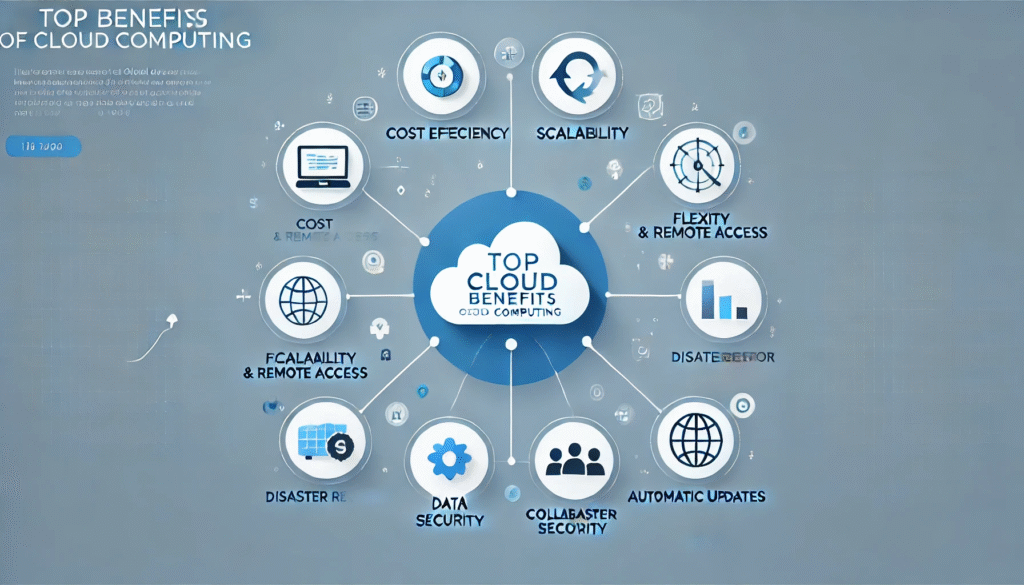
Research shows that small and medium-sized businesses using cloud computing posted 21% higher profit margins and 26% faster revenue growth compared to their non-cloud counterparts. Those aren’t just numbers—they represent real financial impact that can fuel business expansion and competitive advantage.
Beyond hardware costs, you’ll also save on:
- IT staffing expenses for server maintenance
- Electricity bills for running and cooling servers
- Physical space requirements for data centers
- Software update and patch management costs
- Disaster recovery infrastructure
Unmatched Scalability and Flexibility
Remember the last time your business experienced unexpected growth or seasonal fluctuations? With traditional infrastructure, scaling up means purchasing additional hardware—a process that takes weeks and leaves you with excess capacity during slower periods.
Cloud computing offers elastic scalability. Need more storage during tax season? Scale up instantly. Launching a marketing campaign that might drive traffic spikes? Your cloud infrastructure can handle it. When demand decreases, simply scale down and reduce costs accordingly.
This flexibility is particularly valuable for growing businesses. You’re not locked into long-term infrastructure decisions that might not align with your future needs. The cloud grows with you, adapting to your business trajectory rather than constraining it.
Enhanced Security and Data Protection
Many SMB owners worry that cloud computing might compromise their data security. The reality? Cloud providers typically offer superior security compared to what most small businesses can implement independently.
Major cloud service providers invest millions in security infrastructure, employing dedicated teams of security experts, implementing advanced encryption protocols, and maintaining compliance with international security standards. These are resources that would be financially unfeasible for most small businesses to replicate in-house.
Cloud platforms typically include:
- Multi-factor authentication
- Advanced encryption (both in transit and at rest)
- Regular security audits and compliance certifications
- Intrusion detection and prevention systems
- Automated security patches and updates
- 24/7 security monitoring
That said, security is a shared responsibility. While cloud providers secure the infrastructure, businesses must implement proper access controls, train employees on security best practices, and configure their cloud environments correctly.
Automatic Software Updates and Maintenance
When was the last time you delayed a software update because you were worried about disruption? Or worse, suffered a security breach because critical patches weren’t applied promptly?
Cloud computing eliminates these headaches. Your cloud service provider handles all software updates, security patches, and infrastructure maintenance automatically. This means you’re always running the latest, most secure versions of applications without lifting a finger.
The benefits extend beyond security. You’ll also gain access to new features and improvements as soon as they’re released, ensuring your business stays competitive with the latest technological capabilities.
Improved Collaboration and Remote Work Capabilities
The modern workforce expects flexibility. Cloud computing makes remote work not just possible, but seamless. Team members can access files, applications, and data from anywhere with an internet connection, using any device.
This capability has transformed how businesses operate. Sales teams can access CRM data during client visits. Accountants can review financial documents from home. Project teams can collaborate on documents in real-time, regardless of physical location.
Cloud-based collaboration tools enable:
- Real-time document editing and version control
- Instant file sharing and synchronization
- Video conferencing and virtual meetings
- Project management and task tracking
- Unified communication platforms
The result? Increased productivity, improved work-life balance for employees, and the ability to hire talented professionals regardless of geographic constraints.
Business Continuity and Disaster Recovery
What would happen to your business if your office flooded, experienced a fire, or suffered a ransomware attack? For businesses relying on local servers, such disasters can be catastrophic.
Cloud computing provides robust business continuity capabilities. Your data is automatically backed up across multiple geographic locations, ensuring that a disaster in one location doesn’t result in data loss. Many cloud providers offer recovery time objectives (RTO) and recovery point objectives (RPO) that would be impossible for small businesses to achieve independently.
This peace of mind is invaluable. You can focus on running your business knowing that your critical data and applications are protected against:
- Hardware failures
- Natural disasters
- Cyberattacks and ransomware
- Accidental deletion
- Power outages
Access to Advanced Technologies and Innovation
Artificial intelligence, machine learning, big data analytics, Internet of Things—these cutting-edge technologies once seemed accessible only to large enterprises with massive IT budgets. Cloud computing democratizes access to these innovations.
Cloud platforms offer sophisticated tools and services that small businesses can leverage without significant upfront investment. Want to implement chatbots for customer service? There’s a cloud service for that. Need predictive analytics to forecast sales trends? Cloud-based analytics tools make it accessible.
By 2025, 85% of organizations are projected to embrace a cloud-first principle, recognizing that cloud platforms are the gateway to digital transformation and competitive innovation.
Environmental Sustainability
Sustainability isn’t just good ethics—it’s increasingly good business. Customers, partners, and employees increasingly favor environmentally conscious organizations.
Cloud computing significantly reduces your environmental footprint. Instead of running underutilized servers in your office, you’re sharing infrastructure with other organizations, maximizing resource efficiency. Cloud providers also invest heavily in renewable energy and energy-efficient data center technologies.
The environmental benefits include:
- Reduced energy consumption
- Lower carbon emissions
- Decreased electronic waste
- More efficient resource utilization
- Support for corporate sustainability goals
Competitive Advantage and Market Agility
In today’s fast-paced business environment, agility can be the difference between success and obsolescence. Cloud computing enables rapid deployment of new services, applications, and business models.
Want to test a new product line with an e-commerce site? You can launch in days rather than months. Need to pivot your business model in response to market changes? Cloud infrastructure adapts quickly to new requirements.
This agility is particularly valuable for small businesses competing against larger, more established competitors. You can move faster, experiment more freely, and respond to market opportunities more quickly than organizations burdened by legacy infrastructure.
Simplified IT Management and Focus on Core Business
Managing IT infrastructure is complex, time-consuming, and requires specialized expertise. For small businesses, this often means either hiring expensive IT staff or diverting leadership attention from strategic initiatives to technical firefighting.
Cloud computing dramatically simplifies IT management. Your provider handles infrastructure maintenance, security updates, performance optimization, and technical troubleshooting. This frees your team to focus on activities that directly drive business value—serving customers, developing products, and growing revenue.
Additionally, cloud platforms typically offer intuitive dashboards and management tools that don’t require deep technical expertise, making it easier for non-technical business owners to monitor and control their IT resources.
Real-World Impact: The Numbers Don’t Lie
Let’s put these benefits into perspective with some compelling statistics:
- Research indicates that moving workloads to the cloud can raise profit growth by 11.2% per year, with businesses needing at least 60% of their workloads in the cloud to realize significant financial benefits.
- The cloud services market continues its explosive growth trajectory, with businesses dedicating an increasing portion of their IT budgets to cloud solutions.
- The SaaS segment dominated the cloud market in 2024 with 54% of revenue share, demonstrating the widespread adoption of cloud-based applications.
These figures reflect a fundamental shift in how businesses operate, with cloud computing moving from optional to essential.
Making the Transition: What You Need to Know
Understanding the benefits is one thing; implementing cloud solutions effectively is another. Here are key considerations for small and medium businesses planning their cloud journey:
Start Small and Scale Gradually: You don’t need to migrate everything at once. Many successful cloud adoptions begin with non-critical applications, allowing your team to gain confidence and experience before moving mission-critical systems.
Choose the Right Cloud Model: Consider whether public cloud, private cloud, or hybrid cloud best fits your needs. Public cloud offers maximum cost savings and scalability, while hybrid approaches provide flexibility for businesses with specific compliance or performance requirements.
Prioritize Security and Compliance: Ensure your chosen cloud provider offers appropriate security certifications and compliance standards for your industry. Implement strong access controls, employee training, and data governance policies.
Plan for Integration: Consider how cloud services will integrate with existing systems and workflows. Many cloud platforms offer APIs and integration tools, but planning ahead prevents future headaches.
Common Misconceptions About Cloud Computing
Despite its widespread adoption, several myths persist about cloud computing:
Myth 1: “Cloud computing is less secure than on-premises infrastructure.”
Reality: Major cloud providers typically offer superior security capabilities compared to what most small businesses can implement independently.
Myth 2: “We’ll lose control over our data.”
Reality: You maintain ownership and control of your data. Cloud providers simply host it on your behalf with contractual protections.
Myth 3: “Cloud computing is only for tech companies.”
Reality: Businesses across all industries—from healthcare to retail to manufacturing—successfully leverage cloud solutions.
Myth 4: “Migration is too complicated and disruptive.”
Reality: Cloud providers offer migration tools and services that minimize disruption. Many businesses migrate gradually without operational interruption.
The Future Is Cloud-Native
As we look ahead, cloud computing isn’t just an IT decision—it’s a strategic business imperative. The benefits extend far beyond technology, influencing everything from organizational agility to competitive positioning to employee satisfaction.
Small and medium businesses that embrace cloud computing position themselves for sustainable growth, operational efficiency, and competitive resilience. Those that resist risk falling behind competitors who leverage cloud capabilities to move faster, innovate more freely, and serve customers more effectively.
The question isn’t whether to adopt cloud computing, but how quickly you can leverage its benefits to transform your business operations and drive growth.
Conclusion
Cloud computing represents more than a technological upgrade—it’s a fundamental transformation in how small and medium businesses operate, compete, and grow. The benefits we’ve explored—from substantial cost savings to enhanced security, from improved collaboration to access to cutting-edge technologies—collectively create a compelling case for cloud adoption.
The data speaks for itself: businesses leveraging cloud computing achieve higher profit margins, faster growth rates, and greater operational efficiency than those relying on traditional infrastructure. In an increasingly digital, fast-paced business environment, cloud computing isn’t just an advantage—it’s becoming essential for competitive survival.
Whether you’re just beginning your cloud journey or looking to optimize existing implementations, the opportunities are significant. The key is starting with a clear strategy, choosing the right partners, and remaining focused on how cloud capabilities can drive your specific business objectives.
Frequently Asked Questions (FAQs)
- How much does cloud computing cost for small businesses?
- A: Cloud computing costs vary significantly based on your specific needs, but most small businesses can start with cloud services for as little as $10-50 per month per user for basic productivity suites. The pay-as-you-go model means you only pay for resources you actually use, making it highly cost-effective compared to traditional infrastructure. Many providers offer free tiers for small-scale usage, allowing you to test services before committing financially.
- Is cloud computing secure enough for sensitive business data?
- A: Yes, cloud computing can be extremely secure when implemented properly. Major cloud providers invest heavily in security infrastructure, offering features like advanced encryption, multi-factor authentication, intrusion detection, and 24/7 monitoring. However, security is a shared responsibility—businesses must implement proper access controls, train employees, and follow security best practices. For highly regulated industries, cloud providers offer specialized compliance certifications and security features.
- What’s the difference between SaaS, PaaS, and IaaS?
- A: SaaS (Software as a Service) provides complete applications via the internet (like Gmail or Salesforce). PaaS (Platform as a Service) offers development platforms for building applications without managing infrastructure. IaaS (Infrastructure as a Service) provides fundamental computing resources like servers and storage that you configure and manage. Most small businesses primarily use SaaS for everyday applications, occasionally supplemented with IaaS for specific needs.
- How long does cloud migration take for a small business?
- A: Migration timelines vary based on complexity, but many small businesses complete basic cloud migrations in 2-12 weeks. Simple migrations (moving email and file storage) can happen in days, while more complex transitions involving custom applications and large data volumes might take several months. Phased approaches allow you to migrate gradually, minimizing disruption while building internal expertise.
- Can we use cloud computing without reliable internet connectivity?
- A: Cloud computing does require internet connectivity for optimal functionality. However, many cloud applications offer offline modes that sync when connectivity is restored. For businesses in areas with unreliable internet, hybrid cloud solutions or local caching can provide continuity during outages. Additionally, mobile hotspots and backup internet connections can mitigate connectivity concerns.
- What happens to our data if the cloud provider goes out of business?
- A: Reputable cloud providers include data portability provisions in their contracts, allowing you to export your data in standard formats. Many providers also offer migration assistance if they discontinue services. To mitigate this risk, choose established providers with strong financial positions, implement regular data backups, and avoid proprietary formats that could complicate future migrations.
- How does cloud computing support business growth and scalability?
- A: Cloud computing eliminates traditional scaling constraints by providing on-demand resources. As your business grows, you can instantly increase storage, computing power, and application capacity without purchasing hardware or waiting for installations. This elasticity means you’re never paying for unused capacity during slow periods or constrained during growth spurts, optimizing both costs and performance.
- Are there industries where cloud computing isn’t suitable?
- A: Cloud computing benefits virtually all industries, though implementation approaches vary. Highly regulated sectors like healthcare and finance have specific compliance requirements, but major cloud providers offer specialized services meeting these standards. Some businesses with extremely high-security requirements might prefer private or hybrid cloud solutions rather than public cloud, but the fundamental benefits still apply.
- How do we choose the right cloud service provider?
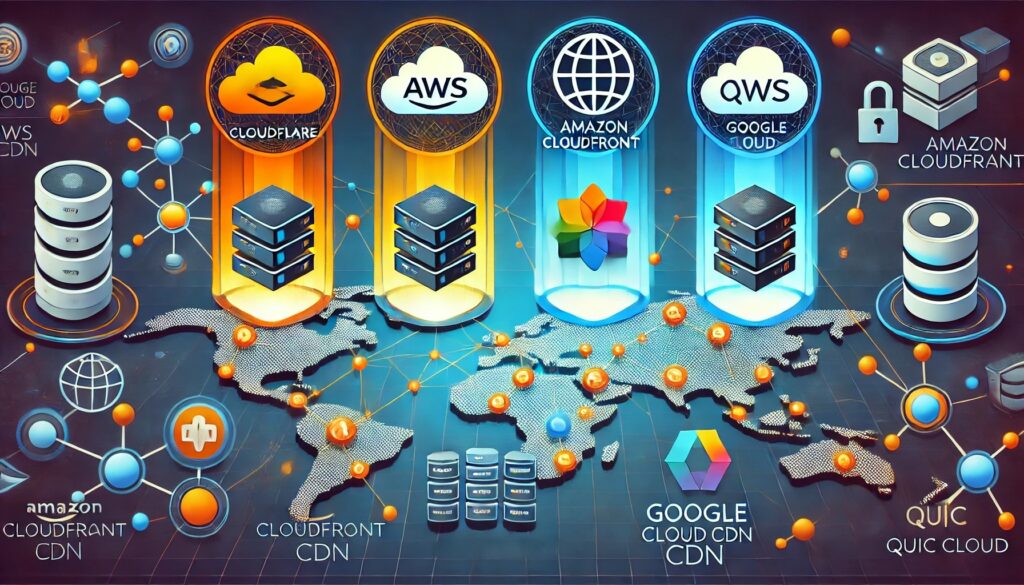
- A: Select providers based on your specific needs: reliability and uptime guarantees, security certifications relevant to your industry, pricing models that align with your usage patterns, geographic presence for performance and compliance, integration capabilities with existing systems, and quality of customer support. Major providers like AWS, Microsoft Azure, and Google Cloud Platform offer comprehensive solutions, while specialized providers might better serve specific use cases.
- Can we move back to on-premises infrastructure if cloud computing doesn’t work out?
- A: Yes, you can revert to on-premises infrastructure, though it requires planning and investment. Most cloud providers support data export in standard formats. However, after experiencing cloud benefits, few businesses choose to return to traditional infrastructure. Instead, organizations that encounter issues typically optimize their cloud implementation or switch providers rather than abandoning cloud computing entirely.
Don’t miss out on the latest strategies, insights, and best practices for leveraging cloud technology to grow your business. Subscribe to our newsletter for weekly updates on cloud computing trends, implementation guides, cost optimization strategies, and exclusive resources for small and medium businesses.