The IT profession has never stood still — but the pace of change in 2026 is something different. Artificial intelligence is not just another technology to learn alongside cloud, DevOps, and cybersecurity. It is a force that is reshaping all of them simultaneously. For IT professionals who want to stay relevant, in demand, and genuinely effective, building fluency with the right AI tools is no longer optional. This guide covers the most important AI tools across key IT disciplines — from development and infrastructure to security and productivity — giving you a practical starting point for building an AI-augmented skill set.
AI Coding and Development Tools
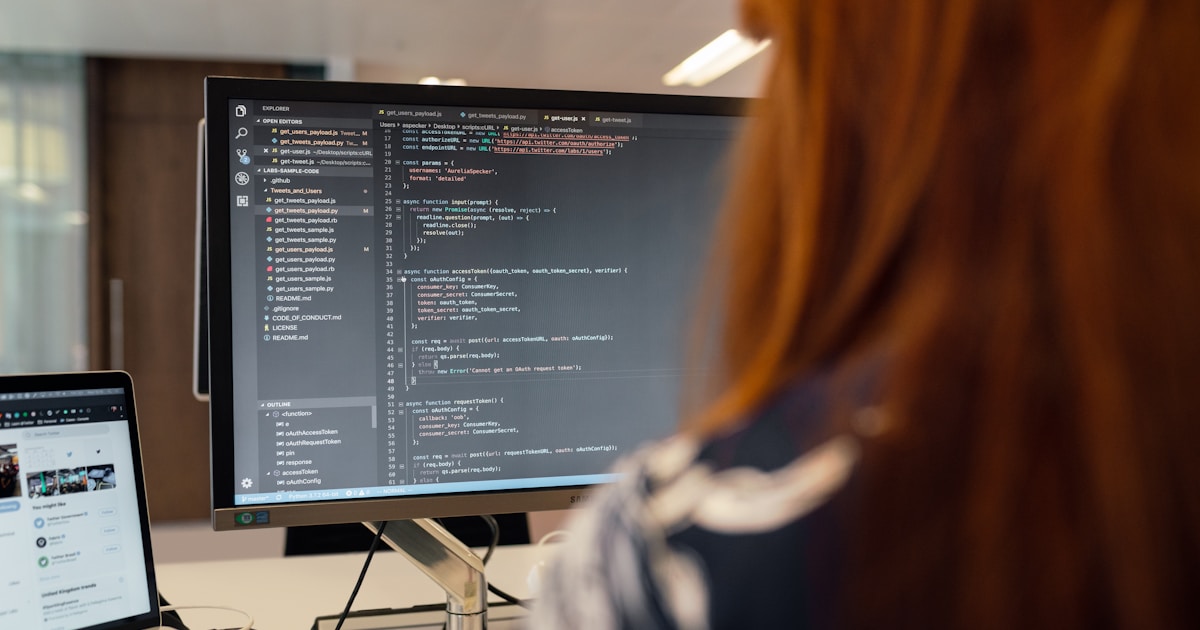
For software engineers, DevOps engineers, and anyone who writes code regularly, AI coding assistants have become one of the highest-leverage productivity tools available.
GitHub Copilot remains the market leader for AI-assisted coding, integrating directly into VS Code, JetBrains IDEs, and other popular editors. It suggests code completions, generates entire functions from comments, explains unfamiliar code, and helps write unit tests. Microsoft’s deep integration with Azure and GitHub makes it a natural fit for teams already in the Microsoft ecosystem.
Cursor is rapidly gaining ground as a Copilot alternative built around a modified VS Code interface. Its agent mode can make multi-file edits, propose architectural changes, and reason about entire codebases — going significantly beyond line-by-line autocomplete.
Amazon CodeWhisperer (now part of Amazon Q Developer) is the strongest choice for teams working heavily with AWS services, offering context-aware suggestions that understand AWS SDKs and security best practices natively.
For IT professionals who work with infrastructure-as-code, these tools dramatically accelerate writing and debugging Terraform, CloudFormation, Kubernetes manifests, and shell scripts — a valuable capability regardless of your primary specialisation.
AI Tools for DevOps and Infrastructure

DevOps and infrastructure teams are seeing AI integration across the full CI/CD and observability stack.
GitHub Actions with Copilot can now suggest and generate workflow YAML from natural language descriptions, lowering the barrier to sophisticated pipeline configuration. For teams managing complex CI/CD workflows, this significantly reduces the time spent on pipeline authoring and debugging.
Dynatrace and New Relic both offer mature AIOps capabilities — using machine learning to automatically detect anomalies, correlate root causes across distributed systems, and generate incident summaries that surface relevant context for on-call engineers. Learning to work with these platforms, and to interpret and act on their AI-generated insights, is increasingly a core SRE skill.
Pulumi AI and Terraform with AI assistance allow infrastructure engineers to describe what they want to build in plain English and receive working infrastructure-as-code in return. This democratises cloud architecture for team members who are not deep IaC specialists while accelerating the work of those who are.
AI Security Tools
Cybersecurity is one of the domains where AI tools have the most immediate and measurable impact, given the volume and sophistication of modern threats.
Microsoft Copilot for Security is a generative AI assistant integrated into Microsoft’s security product suite (Sentinel, Defender, Intune). It allows security analysts to ask questions about their environment in natural language, generate KQL queries, summarise incidents, and get step-by-step remediation guidance. For organisations in the Microsoft security stack, this is arguably the single highest-impact AI tool available to security teams today.
CrowdStrike Charlotte AI brings similar capabilities to the CrowdStrike Falcon platform, helping analysts triage alerts, understand threat actor behaviour, and accelerate investigations through conversational AI.
Snyk uses AI to identify security vulnerabilities in code, open-source dependencies, containers, and infrastructure-as-code. Its ability to suggest fixes — not just flag problems — makes it a particularly practical tool for development teams integrating security into their workflow.

For IT professionals building security skills, familiarity with at least one of these AI-augmented security platforms is increasingly expected by employers.
AI Productivity and Knowledge Tools
Beyond technical tooling, AI productivity tools are transforming how IT professionals manage information, communicate, and handle the administrative dimensions of their work.
Claude, ChatGPT, and Microsoft Copilot (the general-purpose assistant integrated into Microsoft 365) are the three most widely used AI assistants in professional settings. Each has strengths: Claude excels at nuanced reasoning, long-document analysis, and writing quality; ChatGPT has the broadest plugin ecosystem and code interpreter; Microsoft Copilot is the strongest choice for teams whose work lives in Word, Excel, Outlook, and Teams.
Practical uses for IT professionals are extensive: drafting technical documentation, summarising meeting notes, explaining error messages, preparing for certifications by generating practice questions, creating runbooks, and drafting incident post-mortems. Professionals who integrate these tools into their daily workflow consistently report significant time savings on routine communication and documentation tasks.
Notion AI and Confluence AI bring AI assistance directly into knowledge management platforms, making it easier to surface relevant documentation, generate content from outlines, and maintain up-to-date knowledge bases — a persistent pain point for engineering teams.
AI for Data and Analytics

As data becomes a more central part of IT operations — from log analysis to capacity planning — AI-augmented analytics tools are becoming essential.
Databricks with Unity Catalog and AI Functions provides an integrated platform for data engineering, ML development, and AI-powered analytics. For IT professionals working with large-scale data infrastructure, Databricks proficiency is increasingly a premium skill.
Power BI with Copilot allows IT and operations professionals to query data, generate reports, and create visualisations using natural language — bringing the benefits of AI-augmented analytics to users who are not dedicated data analysts.
Splunk AI and Elastic with ESRE apply AI to IT operations data — logs, metrics, and events — to surface operational insights, detect anomalies, and accelerate root cause analysis. For IT operations and SRE teams, these platforms represent the AI-augmented future of IT monitoring.
How to Build Your AI Tool Skill Set
With so many tools available, the challenge is knowing where to start. A practical approach is to begin with the AI tools most directly relevant to your current role and the platform you already use — then expand from there.
- Start with what you use daily. If you write code, start with Copilot or Cursor. If you work in Microsoft security, start with Copilot for Security. Integrating AI into existing workflows produces immediate, visible returns.
- Invest in foundational AI literacy. Understanding how large language models work, what they are good and bad at, and how to evaluate their outputs critically will make you more effective with any AI tool and better equipped to assess new ones as they emerge.
- Build and document projects. The best way to develop genuine competence with AI tools is to use them on real problems. Build personal projects, document what you learn, and share your work — it builds skills and demonstrates capability to employers.
- Stay current. The AI tooling landscape is evolving faster than any other area of technology. Set aside regular time to follow developments, try new tools, and update your mental model of what is possible.
Conclusion
The IT professionals who will be most valued over the next five years are not those who know the most about how things were done before AI — they are those who have built genuine fluency with AI tools and can apply them to accelerate every dimension of their work. The tools listed in this guide are the starting point, not the destination. The destination is an AI-augmented approach to IT work that makes you more capable, more efficient, and more valuable than you could be working without these tools.

The best time to start building these skills was last year. The second-best time is today. Subscribe to the PetaFusion newsletter for regular updates on the AI tools, skills, and strategies that matter most for IT professionals.
Frequently Asked Questions
1. What are the best AI tools for IT professionals in 2026?
Top AI tools for IT professionals include GitHub Copilot and Cursor (coding), Microsoft Copilot for Security and CrowdStrike Charlotte AI (security), Dynatrace and New Relic (AIOps), Databricks (data), and Claude or Microsoft Copilot (productivity). The best choices depend on your specific role and technology stack.
2. Is GitHub Copilot worth learning?
Yes. GitHub Copilot consistently delivers measurable productivity gains for developers — studies show up to 55% faster task completion. It is now the most widely adopted AI coding tool in the industry and proficiency with it is increasingly expected for software engineering roles.
3. What is AIOps?
AIOps (Artificial Intelligence for IT Operations) applies machine learning to IT monitoring data — logs, metrics, events, and alerts — to automatically detect anomalies, correlate root causes, and reduce alert noise. Platforms like Dynatrace, New Relic, and Splunk AI are leading AIOps tools.
4. How does Microsoft Copilot for Security work?
Microsoft Copilot for Security is a generative AI assistant integrated into Microsoft’s security products. It allows security analysts to ask questions in natural language, generate KQL queries, summarise security incidents, and receive step-by-step remediation guidance, significantly accelerating SOC workflows.
5. What AI tools are best for cloud and DevOps engineers?
DevOps and cloud engineers benefit most from GitHub Copilot or Amazon Q Developer (IaC and pipeline code), Dynatrace or New Relic (AIOps and observability), and Pulumi AI or Terraform with AI assistance (infrastructure generation). AWS, Azure, and GCP all offer AI-integrated management consoles.
6. How can I learn AI tools for IT quickly?
Start with the AI tools most relevant to your daily work, use them on real tasks rather than just tutorials, pursue vendor certifications (Microsoft, AWS, Google offer AI credentials), and follow communities and publications focused on your specialisation to stay current.
7. What AI certifications are valuable for IT professionals?
Valuable AI certifications include Microsoft Azure AI Engineer Associate, AWS Certified Machine Learning Specialty, Google Professional Machine Learning Engineer, CompTIA AI+, and Databricks Certified Associate Developer for Apache Spark. Security-focused professionals should consider the SC-200 (Microsoft Security Operations Analyst) which covers Copilot for Security.
8. Is Snyk worth using for security?
Yes. Snyk is one of the most practical developer security tools available, scanning code, dependencies, containers, and IaC for vulnerabilities and suggesting fixes rather than just flagging problems. It integrates with CI/CD pipelines and is widely adopted by engineering teams practising DevSecOps.
9. Which AI assistant is best for IT professionals — Claude, ChatGPT, or Copilot?
All three are valuable. Microsoft Copilot is best for professionals whose work is centred in Microsoft 365. Claude excels at nuanced reasoning, long-document analysis, and high-quality writing. ChatGPT has the broadest plugin ecosystem and strong code interpretation. Many professionals use more than one depending on the task.
10. How important is AI literacy for IT professionals?
Increasingly essential. Understanding how AI tools work, what they are reliable and unreliable for, and how to evaluate their outputs critically is becoming a baseline expectation across IT roles — not just for AI specialists. IT professionals who lack this literacy will find themselves at a growing disadvantage in the job market.